How WaveGlow works

From the first booking to the final report — the whole day, in order.

Here's how WaveGlow moves your salon through every step, from the moment a client books to the moment you check the numbers.
01Booking

A visual, color-coded calendar with online booking

  • Color-coded by service type
  • Full appointment details at a glance
  • Clients can self-book through website and Mobile App
  • Bookings fromGoogleFacebookInstagram
WaveGlow calendar for nail salon appointments
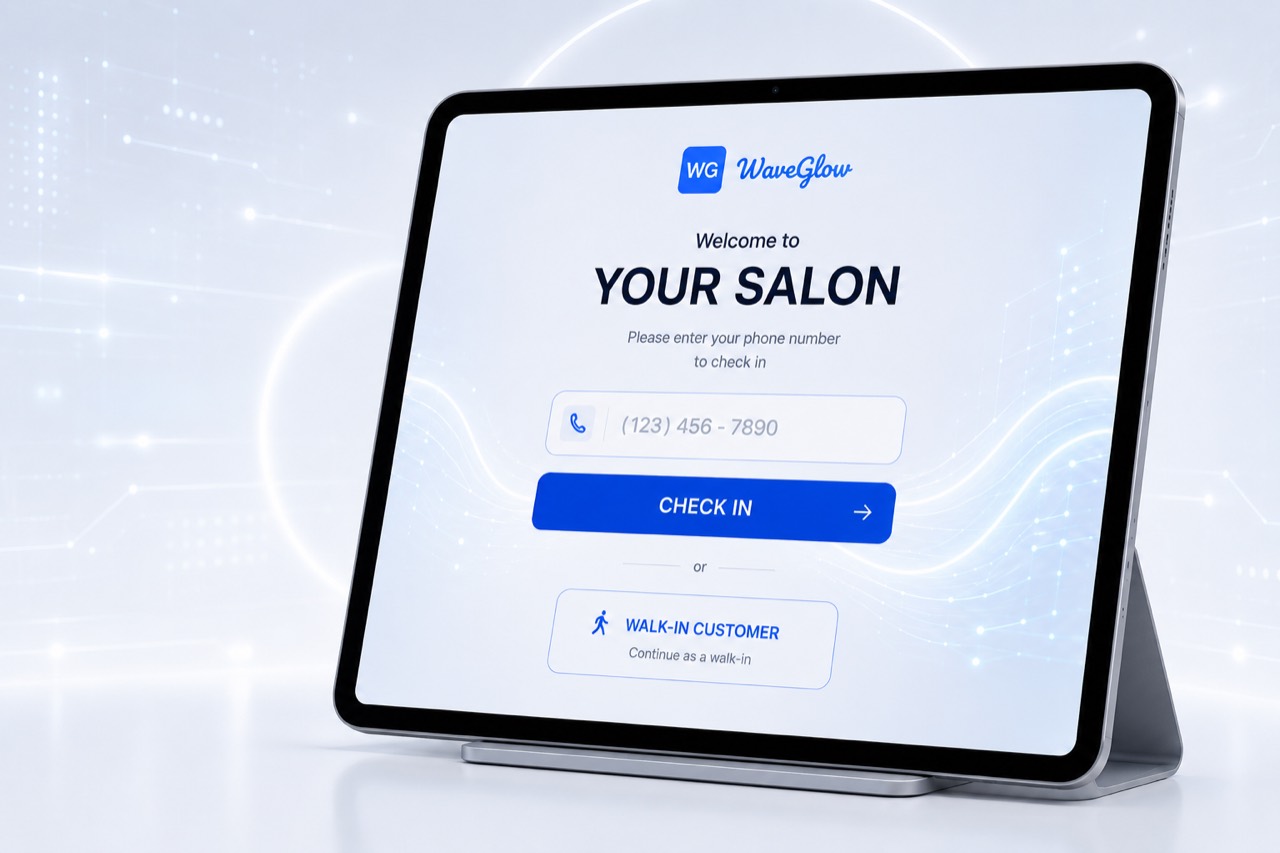
02Check-in App

Welcome clients from the door

  • Instant match for booked clients
  • Real-time alerts to reception & staff
  • Automatic walk-in queueing
  • Capture client information for customer care
WaveGlow tablet check-in screen for nail salon customers
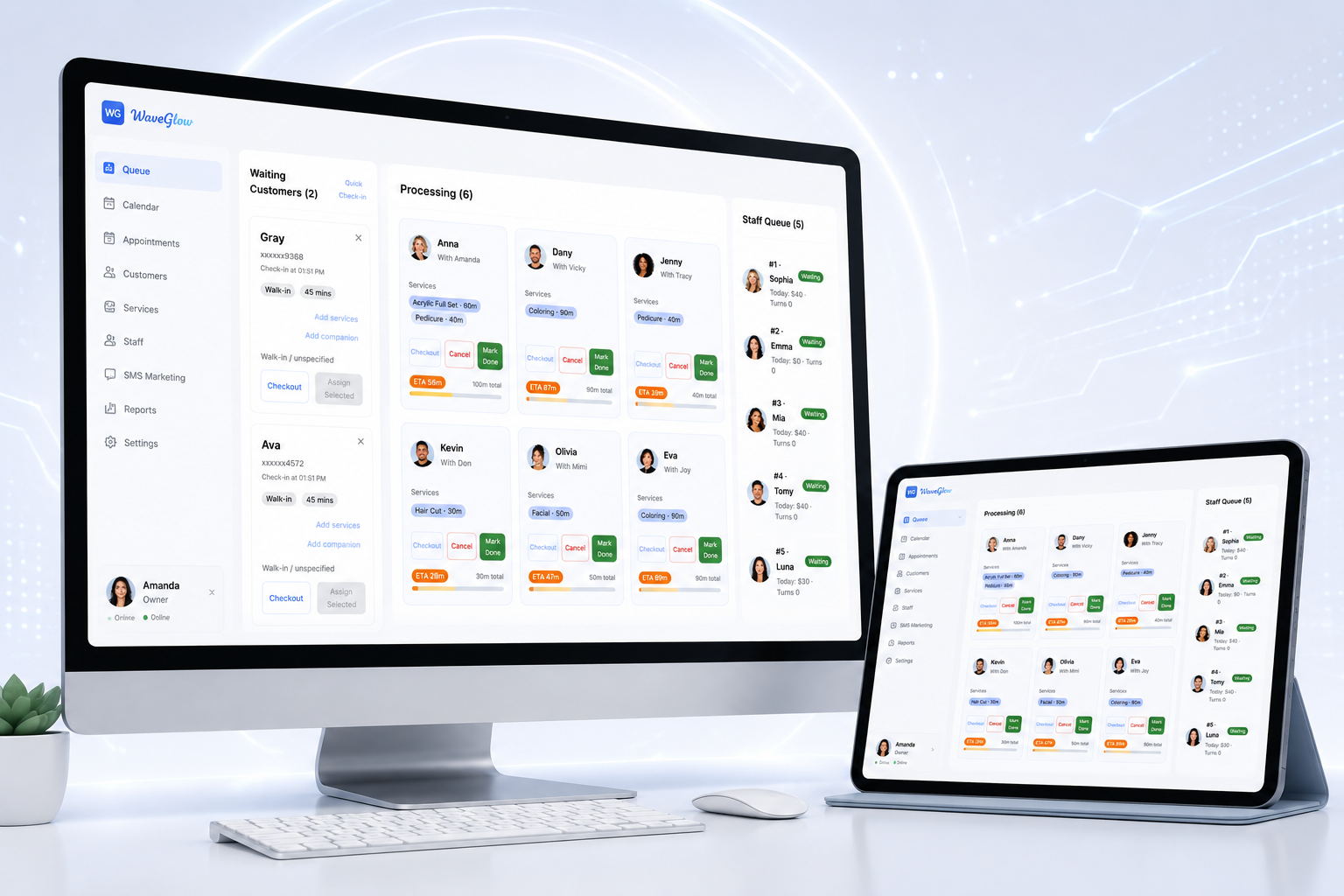
03Turn Queue

Fully automated, fair and transparent staff rotation

  • Automatic turn rotation
  • Clear queue for reception
  • Staff assigned for booked visits
  • The system organizes turns automatically, keeping the salon orderly and balanced.
WaveGlow queue management for walk-in customers and staff turns
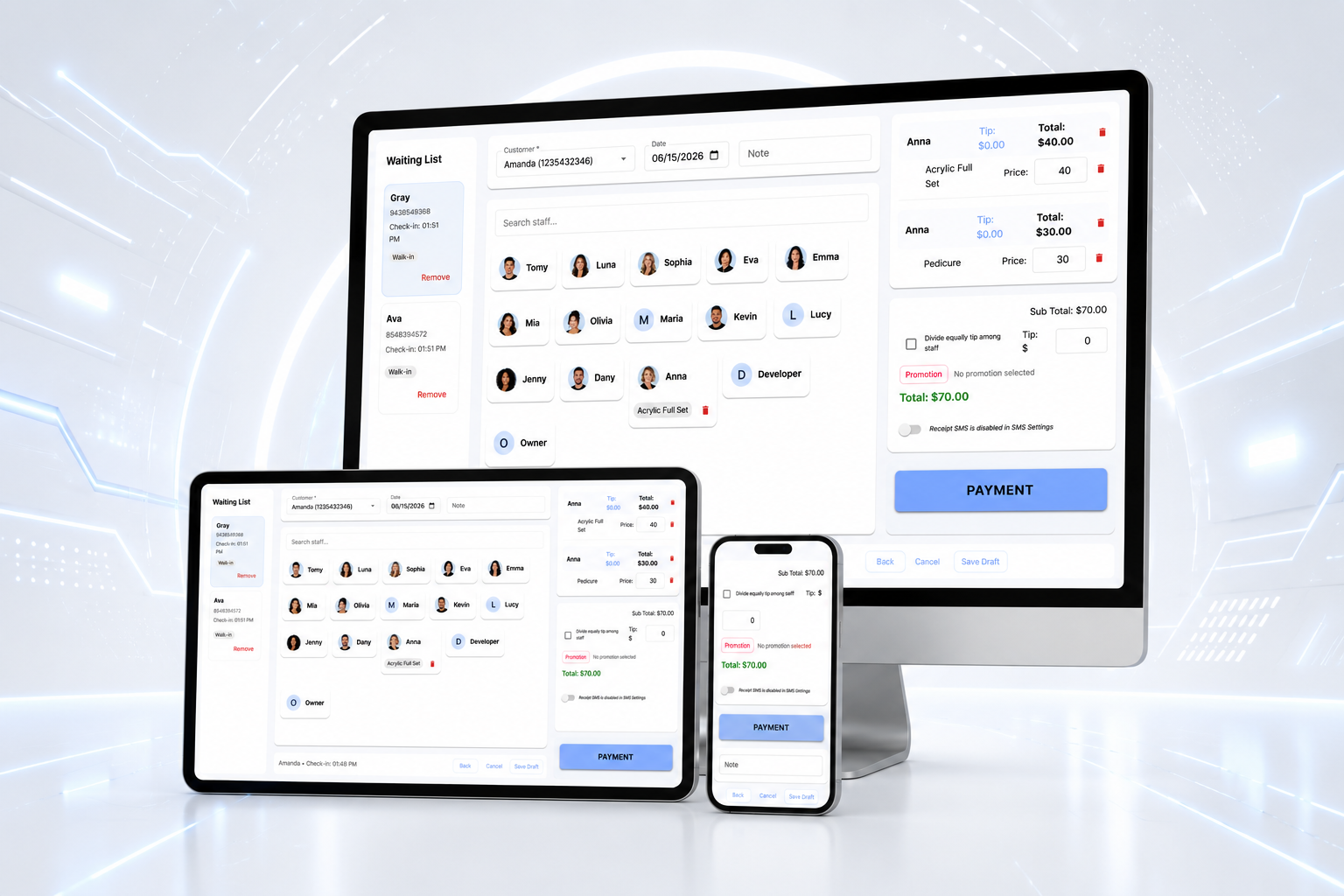
04Checkout

Complete transactions in just a few taps, with a seamless experience

  • Checkout in 2-3 taps
  • Automatic SMS receipt
  • Send satisfaction survey by SMS after checkout
  • Terminal connection (optional)
WaveGlow checkout on desktop, tablet, and phone
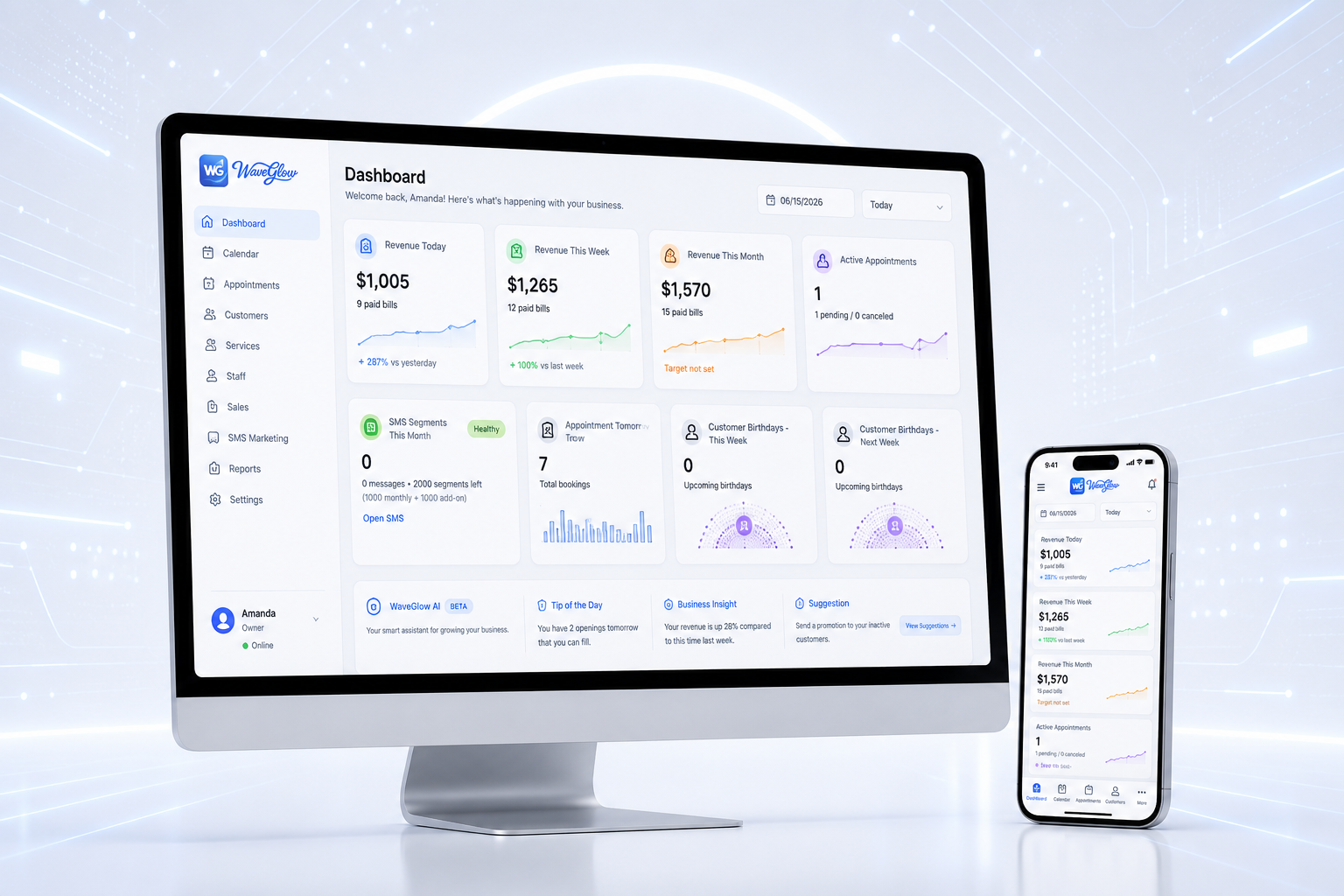
05Dashboard

The full picture, always in reach

  • Revenue and booking trends in real time
  • Performance and turn history for each technician
  • Instant alerts: bad reviews and no-shows
  • Access from any device, anytime, anywhere
WaveGlow owner dashboard with revenue and nail salon metrics
Book a demo

See this workflow live, with your own salon setup.